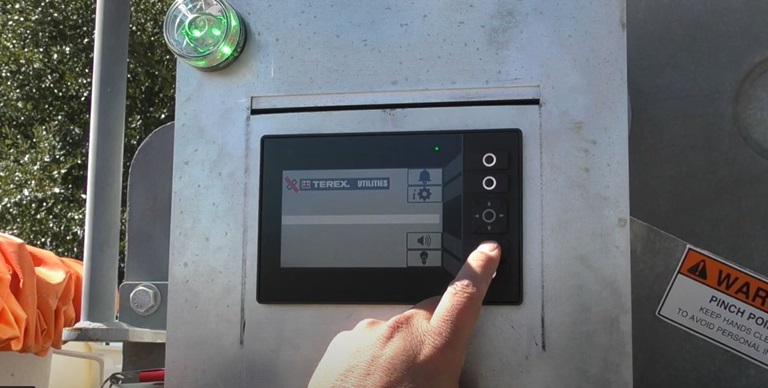
Terex Tech Tips cover some of the most common questions and troubleshooting tips that the Terex Technical Support team receives from customers.
The Terex Utilities Technical Support team strives to provide you with the most comprehensive support possible. Tech Tips cover the most common questions we receive throughout the year. Tech Tips provide detailed information focused on accomplishing a single repair or replacement, with step-by-step instructions and graphics. Tech Tips will be continuously updated and expanded, so please check back often for new updates.
To view a Tech Tip, click on the download hyperlink to view a PDF of the document. Select Tech Tips are also available with video below. All video Tech Tips can also be found on the Tech Tips YouTube channel.
Contact [email protected] with any questions.
| Title | Type | Size | |
|---|---|---|---|
|
Tech Tip #5 - Fiber Optic Installation and Repair
|
8158 KB | Download | |
|
Tech Tip #23 - Fiberglass Chart Usage
|
1279 KB | Download | |
|
Tech Tip #31 - Programming the Motor Controller on a 48V HyPower (Bohlinger 48V)
|
5315 KB | Download | |
|
Tech Tip #32 - Programming the Navitas Top Charger (Bohlinger 48V)
|
2318 KB | Download | |
|
Tech Tip #89 - Removal of Stuck/Frozen Outrigger Pins
|
1317 KB | Download | |
|
Tech Tip #102 - PTO Light is Flashing
|
1699 KB | Download | |
|
Tech Tip #105 - Adjusting Single Stick Controls
|
2425 KB | Download | |
|
Tech Tip #108 - Canview 4 Switch Panel Features and Troubleshooting
|
10757 KB | Download | |
|
Tech Tip #109 - Performing a Flow Test on a Pump
|
2307 KB | Download | |
|
Tech Tip #117 - Determining the Software Version Installed on the Switch Panel
|
1102 KB | Download | |
|
Tech Tip #123 - Programming a Button on the Canview 4 Switch Panel
|
6410 KB | Download | |
|
Tech Tip #124 - Adding Buttons on the Canview 4 Switch Panel
|
3486 KB | Download | |
|
Tech Tip #125 - Switching Buttons on the Canview 4 Switch Panel
|
6289 KB | Download | |
|
Tech Tip #129 - Maintenance of Fiberglass to Steel Joint
|
3961 KB | Download | |
|
Tech Tip #130 - Updating Software on Canview 4
|
8214 KB | Download | |
|
Tech Tip #131 - Import/Export Configuration File
|
3449 KB | Download | |
|
Tech Tip #136 - Remove Park Brake Interlock for Work Lights
|
6083 KB | Download | |
|
Tech Tip #137 - Hydraulic Fluid Analysis
|
1741 KB | Download | |
|
Tech Tip #141 - Turning the Screen Off on a Canview 4 Switch Panel
|
2097 KB | Download | |
|
Tech Tip #151 - Ways to Attach Non-Conductive Hoses to Pull Through a Boom
|
6282 KB | Download | |
|
Tech Tip #156 - Installing a Back-up Camera
|
9737 KB | Download | |
|
Tech Tip #157 - Fitting Torque Chart
|
1844 KB | Download | |
|
Tech Tip #164 - Use of Anti-Seize on Bolts
|
1885 KB | Download | |
|
Tech Tip #172 - Charging the Electric Power Take Off (EPTO) on a Viatec
|
2823 KB | Download | |
|
Tech Tip #175 - Bleeding the Pump on a Viatec System
|
2900 KB | Download | |
|
Tech Tip #182 - Troubleshooting the Outrigger Interlock System
|
2673 KB | Download | |
|
Tech Tip #188 - Viatec V2 Lockout/Tagout
|
1057 KB | Download | |
|
Tech Tip #189 - Viatec V3 Lockout/Tagout
|
2555 KB | Download | |
|
Tech Tip #192 - EV Viatec SmartPTO Quickstart Guide
|
2708 KB | Download | |
|
Tech Tip #194 - Lower / Upper Control Selector Operation
|
1743 KB | Download | |
|
Tech Tip #195 - Periodic and Qualification Dielectric Testing
|
574 KB | Download | |
|
Tech Tip #208 - Viatec SmartPTO Start-Up Procedure for Conventional Chassis
|
1920 KB | Download |